Utility-Meter Calibration
Utility meters decoded by SCM, ERT, and SCMplus protocols report a raw consumption counter, but the RF signal does not carry the counter's unit or scale. Different meters report in different granularities, so the integration cannot derive Energy-dashboard-ready values automatically.
Out of the box, consumption is a plain unitless total_increasing counter. To
make it eligible for Home Assistant's Energy dashboard, calibrate the device.
Calibrating a Meter
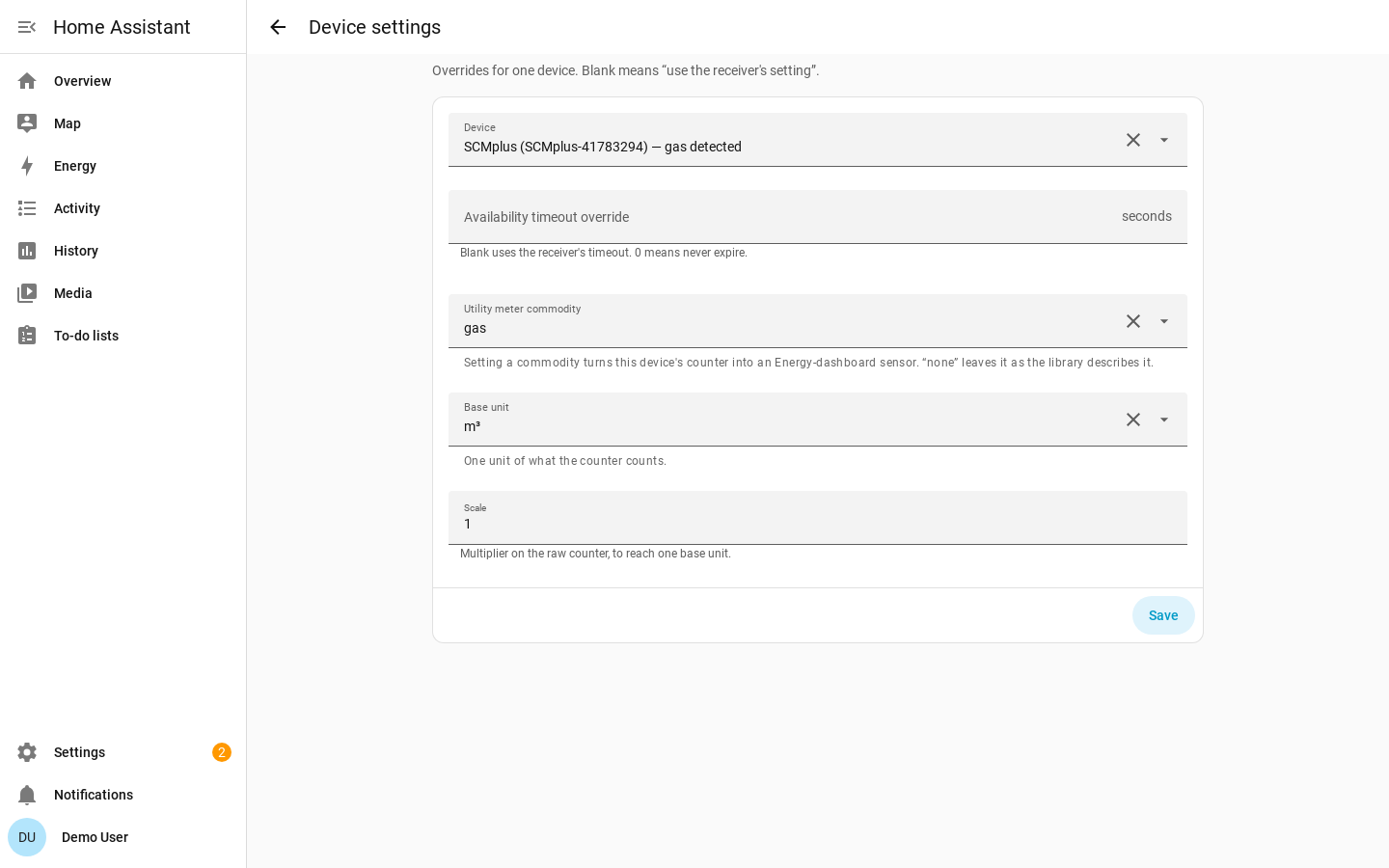
Open Settings → Devices & Services → rtl_433 → Configure (the gear icon) → Device settings and pick the meter.
Meters whose commodity the integration recognized from the signal are labelled
with it in the picker, so you can tell at a glance which devices are calibratable
and what they measure. When the meter reports a MeterType or ert_type hint,
the commodity is pre-filled from it. You can override it, and re-editing an
already-calibrated device shows its stored commodity, unit and scale.
| Field | Meaning |
|---|---|
| Commodity | none, energy, gas, or water. This sets the sensor's device class. Choosing none clears the calibration and leaves the counter unitless. |
| Base unit | The unit the calibrated counter is expressed in, constrained to the Home Assistant units that are convertible for that commodity. |
| Scale | Multiplier applied to the raw counter so the stored value is in the chosen base unit. |
The base unit and scale only appear once you have chosen a real commodity, and the units offered change with it — so the calibration you can build is always one the Energy dashboard will accept.
Once calibrated, the consumption sensor gets a real device class, native unit,
and state_class: total_increasing. You do not need to pick the display unit in
the calibration flow: Home Assistant can convert convertible units in the entity
settings.
The counter field itself needs no configuration: SCM and ERT meters report
consumption_data and SCMplus meters report Consumption, and both ship in the
device library. Neither requires a YAML override.
Statistics Caveat
Changing commodity, base unit, or scale changes the sensor's native unit or device class. Home Assistant treats that as a non-convertible change for long term statistics.
The entity keeps its ID, but previous long-term statistics are orphaned. Calibrate intentionally, ideally once. Saving a calibration reloads the hub so the sensor is rebuilt with the new unit and class.
Model-Scoped Mappings
For models whose unit and scale are authoritatively known, a contributor can ship a model-scoped mapping in the device library so those meters work without per-device calibration.
pyrtl_433 does not include speculative real-meter consumption mappings. A wrong scale would silently corrupt Energy data.