Configuration
Add a hub from Settings → Devices & Services → Add Integration → rtl_433. Each hub points at one rtl_433 server's WebSocket endpoint.
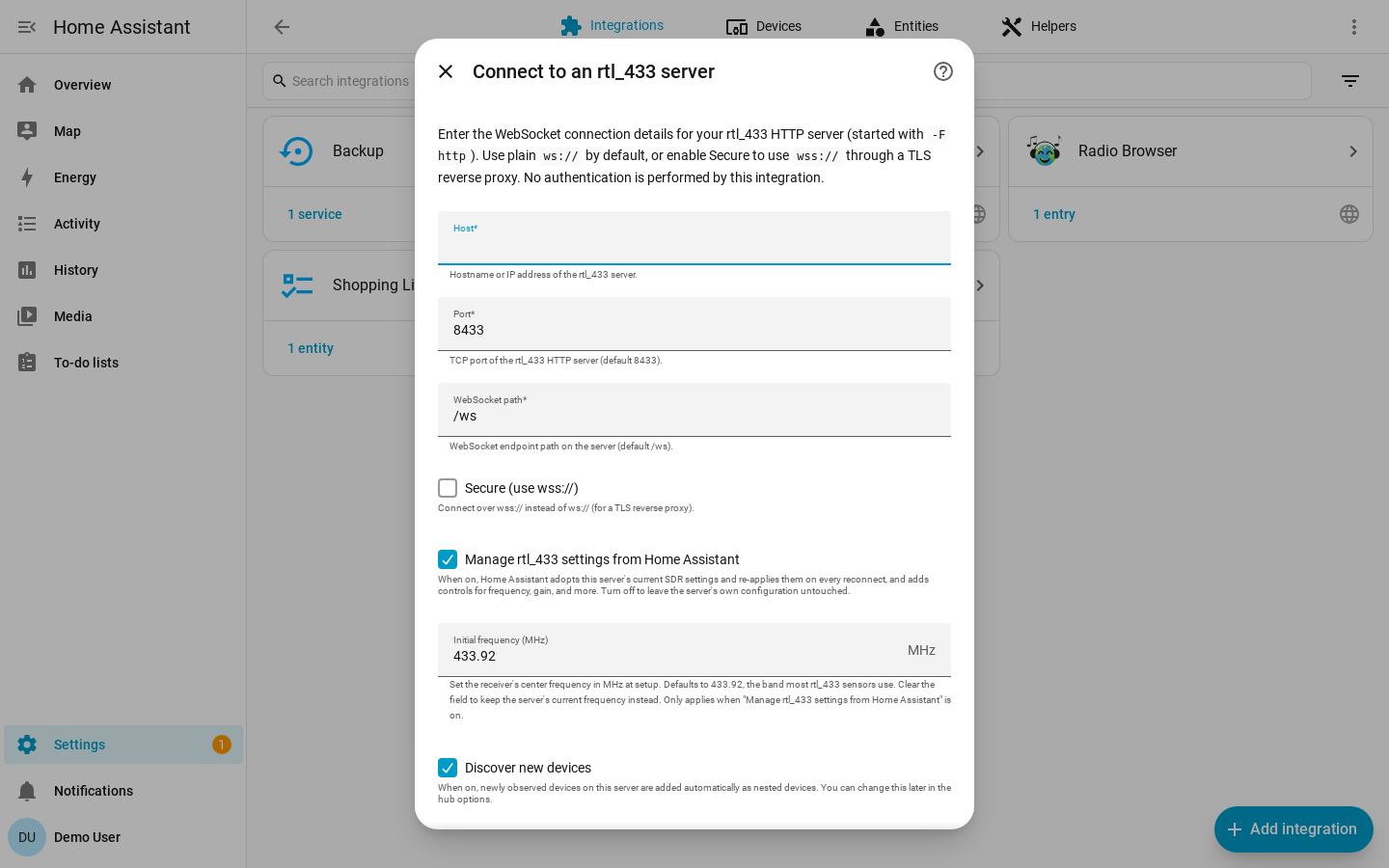
| Field | Default | Description |
|---|---|---|
| Host | required | Hostname or IP of the machine running rtl_433. |
| Port | 8433 |
The rtl_433 HTTP API port. |
| Path | /ws |
The WebSocket path on the rtl_433 HTTP server. |
| Secure | off | Connect with wss:// instead of ws://. |
| Manage rtl_433 settings from Home Assistant | on | Expose SDR controls and let Home Assistant adopt and enforce receiver settings. |
| Discover new devices | on | Add newly observed devices automatically. |
| Initial frequency (MHz) | 433.92 |
Center frequency to apply once on first connect when managed settings are enabled. |
The integration validates that the WebSocket can be reached before creating the
hub. Manual hub identity is derived from host:port, so the same server cannot
be added twice.
Home Assistant OS Add-On Discovery
If you run the rtl_433 add-on on Home Assistant OS, each radio it detects is published through Supervisor discovery. It appears under Settings → Devices & Services as a discovered rtl_433 card. Click Add and confirm; no host or port needs to be typed.
Discovered radios use the add-on's stable per-radio identifier, so the same hub and nested-device history can survive add-on restarts and USB port changes. For multi-dongle setups, stability is best when each dongle stays in a fixed USB port or has a unique serial.
Manual rtl_433 Configuration
The integration connects to rtl_433's HTTP/WebSocket server. Start rtl_433 with HTTP output enabled, for example:
rtl_433 -F http
By default rtl_433 binds to 0.0.0.0:8433. For localhost-only operation, use a
bind address such as:
rtl_433 -F http://127.0.0.1:8433
Reconfigure vs Configure
Use Reconfigure to point an existing hub at the same server's new address: host, port, path, or secure mode. Devices and their history are preserved.
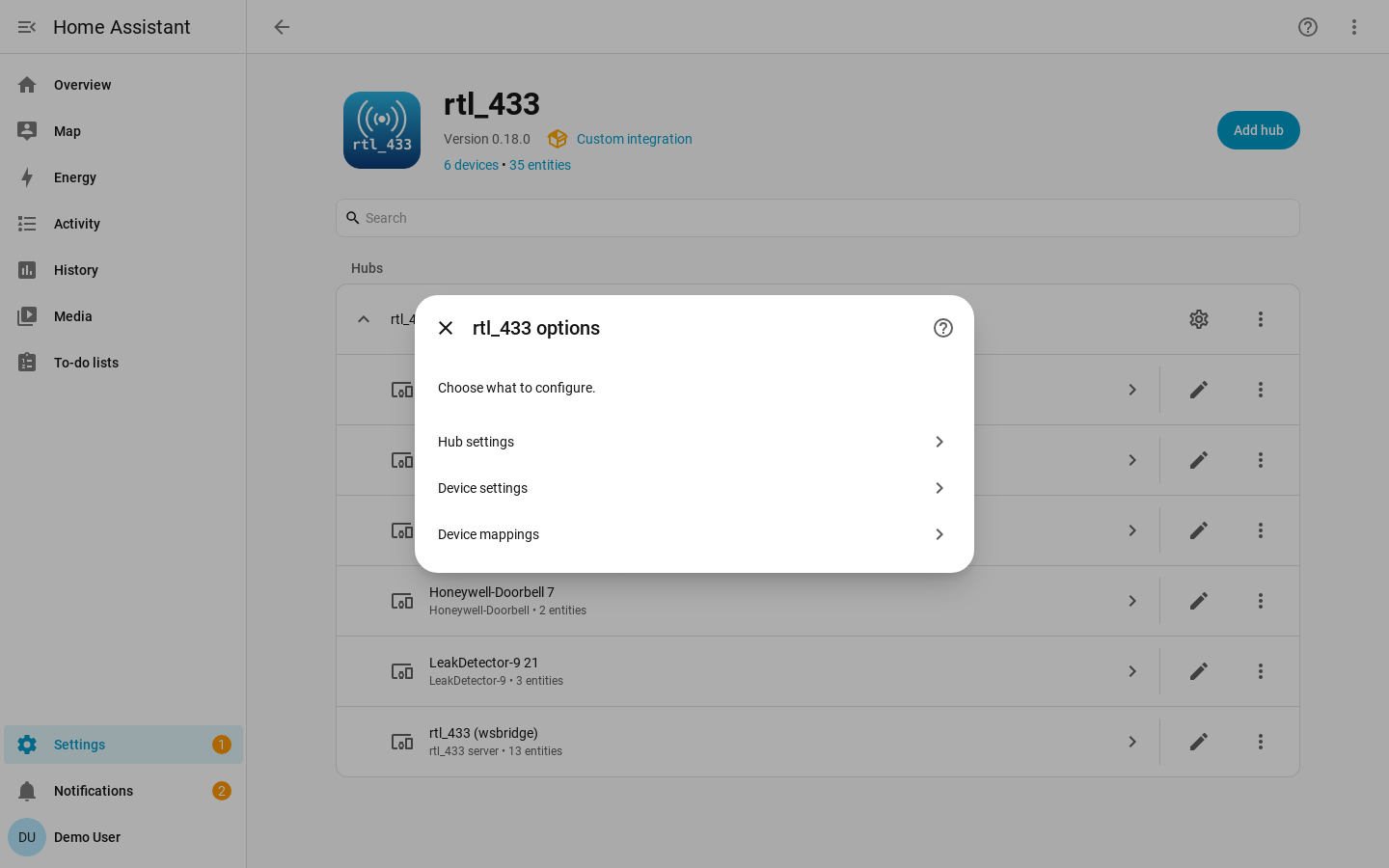
Use Configure for hub options:
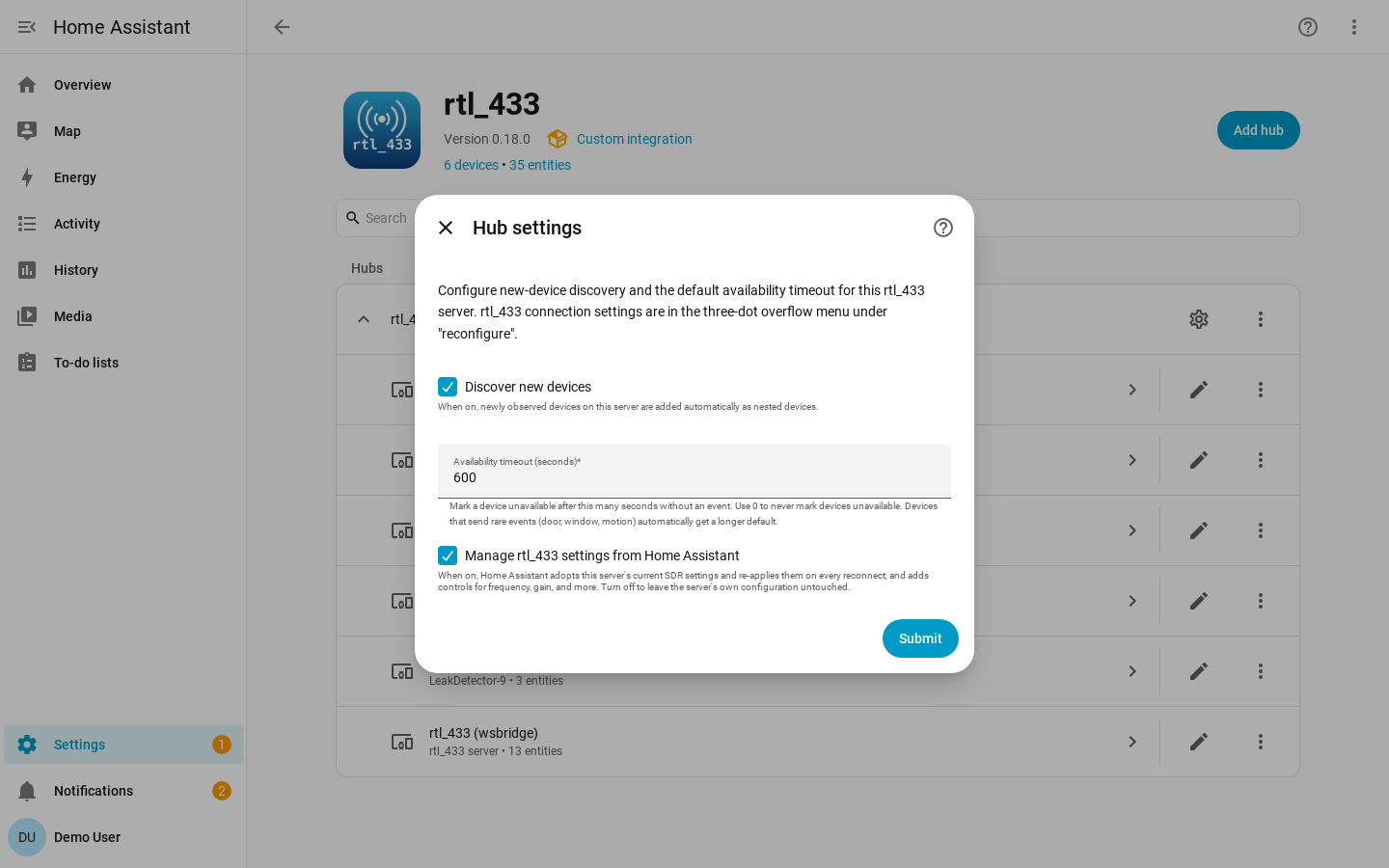
- Hub settings: discovery toggle, default availability timeout, and the managed-settings toggle.
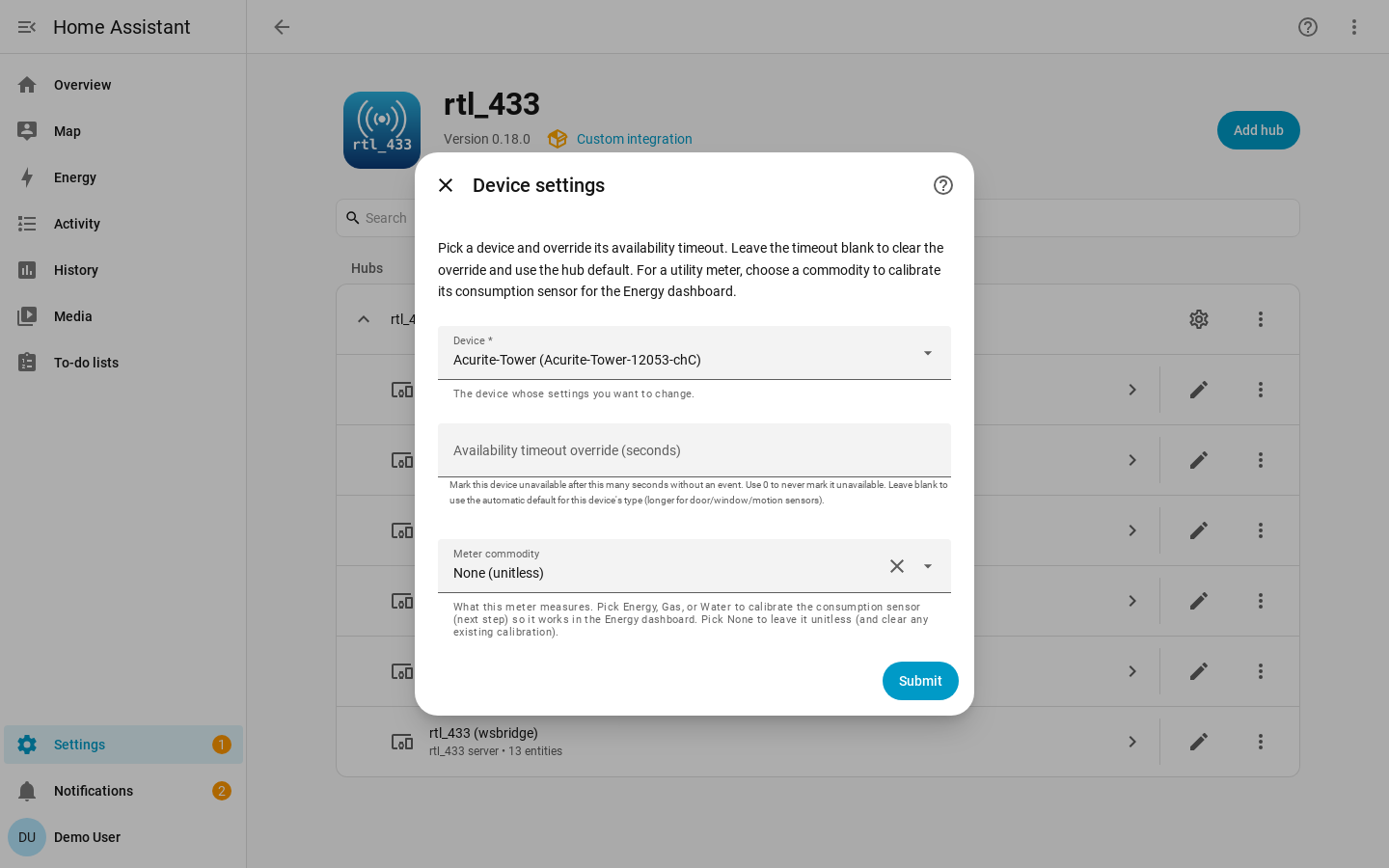
- Device settings: per-device availability timeout, motion clear delay, and utility-meter calibration.
- Device mappings: per-hub mapping overrides.
The Hub settings step configures discovery and the default availability timeout for every device on the hub:
The Device settings step targets one device for a timeout override, motion clear delay, or utility-meter calibration:
Changing discovery or timeout options applies live. Changing the managed-settings toggle reloads the hub because the entity set changes.
ws, wss, and Authentication
By default the integration connects to ws://host:port/path. Turning on
Secure connects with wss://.
rtl_433's built-in HTTP server does not terminate TLS. To use wss://, put a
TLS reverse proxy such as nginx or Caddy in front of rtl_433 and point the hub at
the proxy.
rtl_433's HTTP API is unauthenticated, and the integration sends no credentials. If you need access control, restrict it on your network or place it behind a reverse proxy.