Utility-Meter Calibration
Utility meters decoded by SCM, ERT, and SCMplus protocols report a raw consumption counter, but the RF signal does not carry the counter's unit or scale. Different meters report in different granularities, so the integration cannot derive Energy-dashboard-ready values automatically.
Out of the box, consumption is a plain unitless total_increasing counter. To
make it eligible for Home Assistant's Energy dashboard, calibrate the device.
Calibration Flow
Open Settings → Devices & Services → rtl_433 → Configure → Device settings. Calibration takes three short steps.
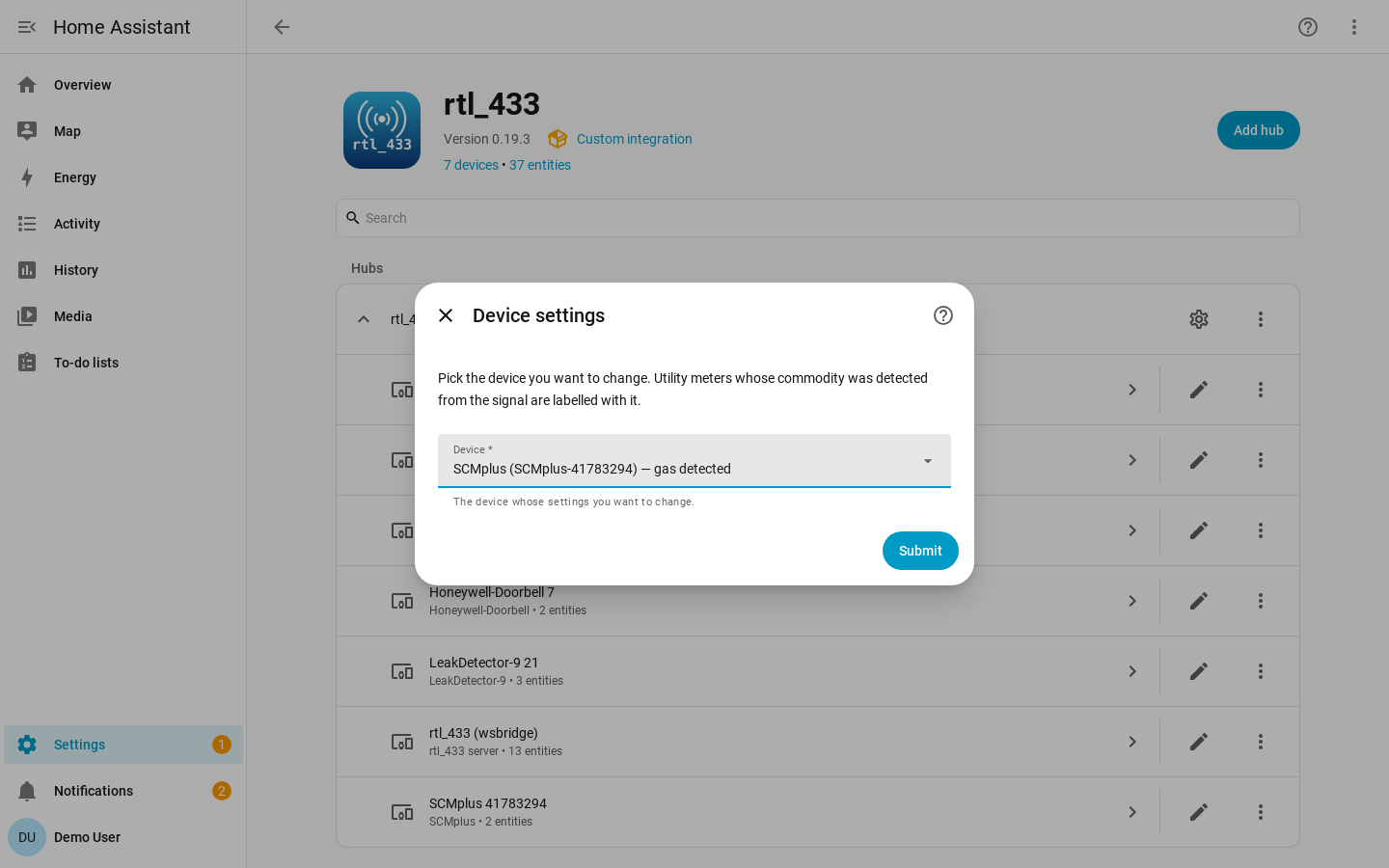
1. Pick the meter
Meters whose commodity the integration recognized from the signal are labelled with it in the picker, so you can tell at a glance which devices are calibratable and what they measure.
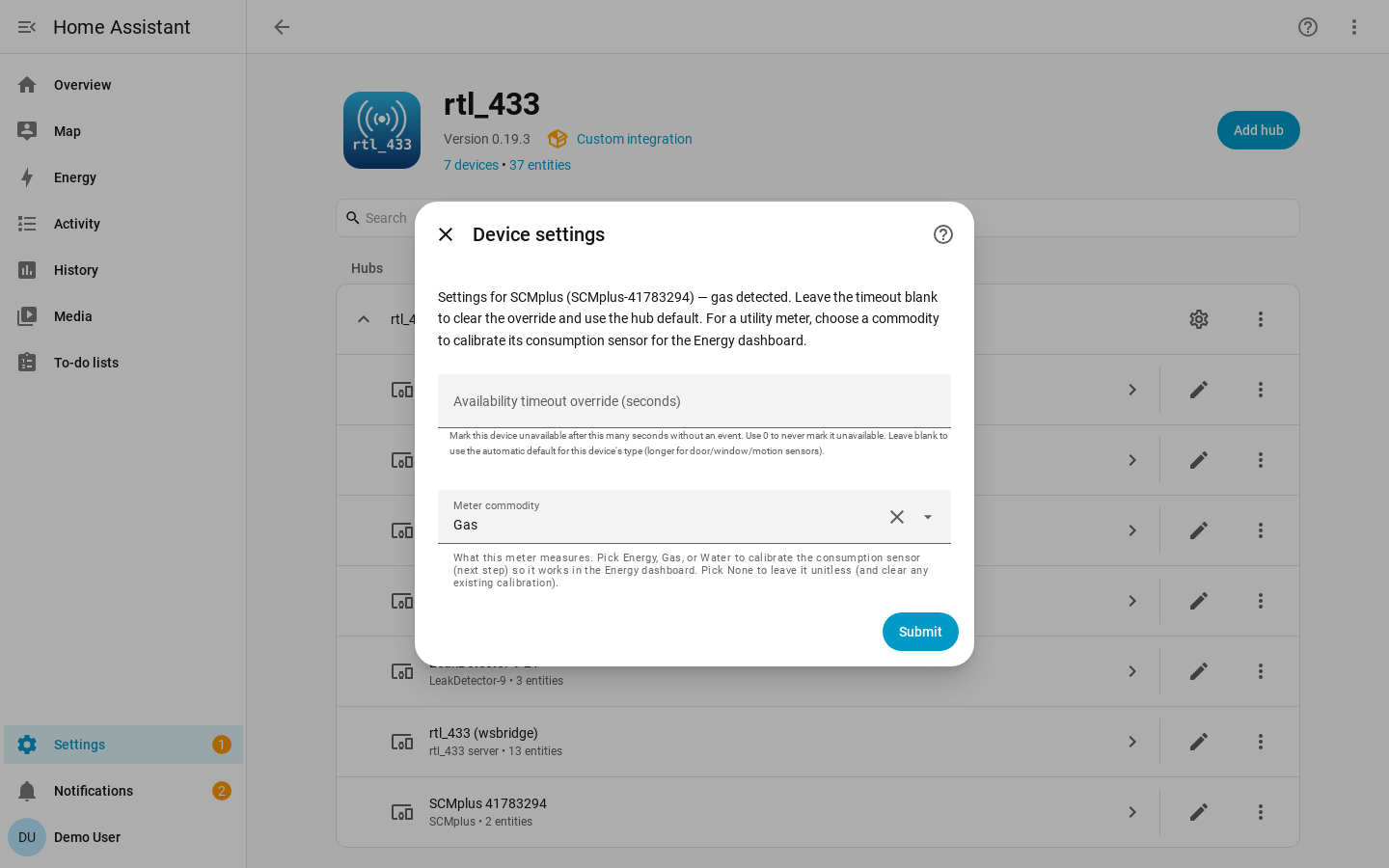
2. Choose the commodity
When the meter reports a MeterType or ert_type hint, the commodity is
pre-filled from it — for the device you picked, however many meters the hub has.
You can override it. Re-editing an already-calibrated device pre-fills its stored
commodity, unit and scale.
Choosing none here clears any existing calibration and leaves the counter
unitless.
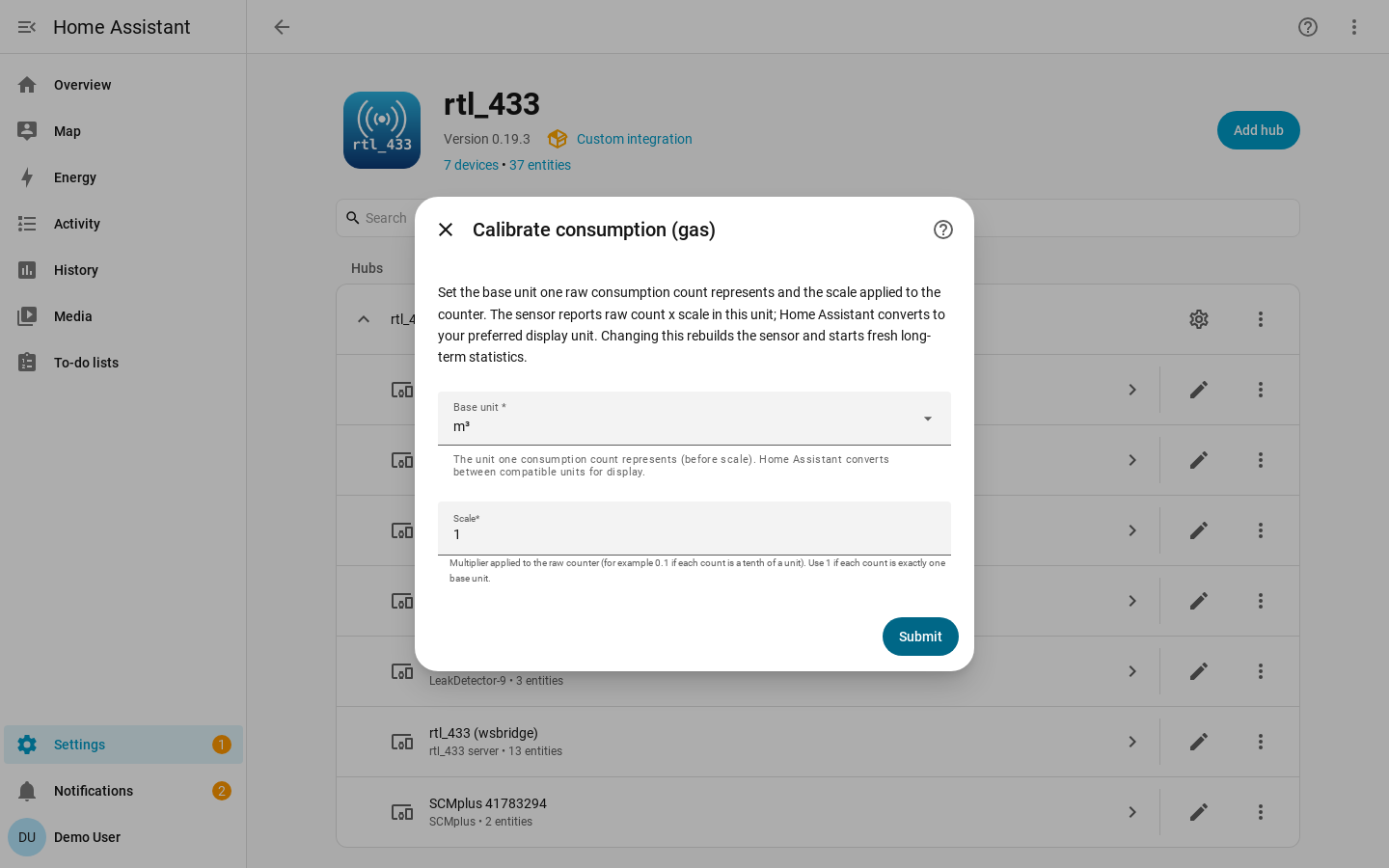
3. Set the base unit and scale
| Field | Meaning |
|---|---|
| Commodity | none, energy, gas, or water. This sets the sensor's device class. Choosing none clears calibration. |
| Base unit | The unit the calibrated counter is expressed in, constrained to Home Assistant units for that commodity. |
| Scale | Multiplier applied to the raw counter so the stored value is in the chosen base unit. |
Once calibrated, the consumption sensor gets a real device class, native unit,
and state_class: total_increasing. You do not need to pick the display unit in
the calibration flow: Home Assistant can convert convertible units in the entity
settings.
The counter field itself needs no configuration: SCM and ERT meters report
consumption_data and SCMplus meters report Consumption, and both ship in the
device library. Neither requires a YAML override.
Statistics Caveat
Changing commodity, base unit, or scale changes the sensor's native unit or device class. Home Assistant treats that as a non-convertible change for long term statistics.
The entity keeps its ID, but previous long-term statistics are orphaned. Calibrate intentionally, ideally once. Saving a calibration reloads the hub so the sensor is rebuilt with the new unit and class.
Model-Scoped Mappings
For models whose unit and scale are authoritatively known, a contributor can ship a model-scoped mapping in the device library so those meters work without per-device calibration.
The shipped library does not include speculative real-meter consumption mappings. A wrong scale would silently corrupt Energy data.